How to Crop a PDF Without Acrobat (Free, No Sign-Up) — 2026
Trim PDF margins or auto-crop the white space from a scan — free, on any device, with nothing uploaded and no account.
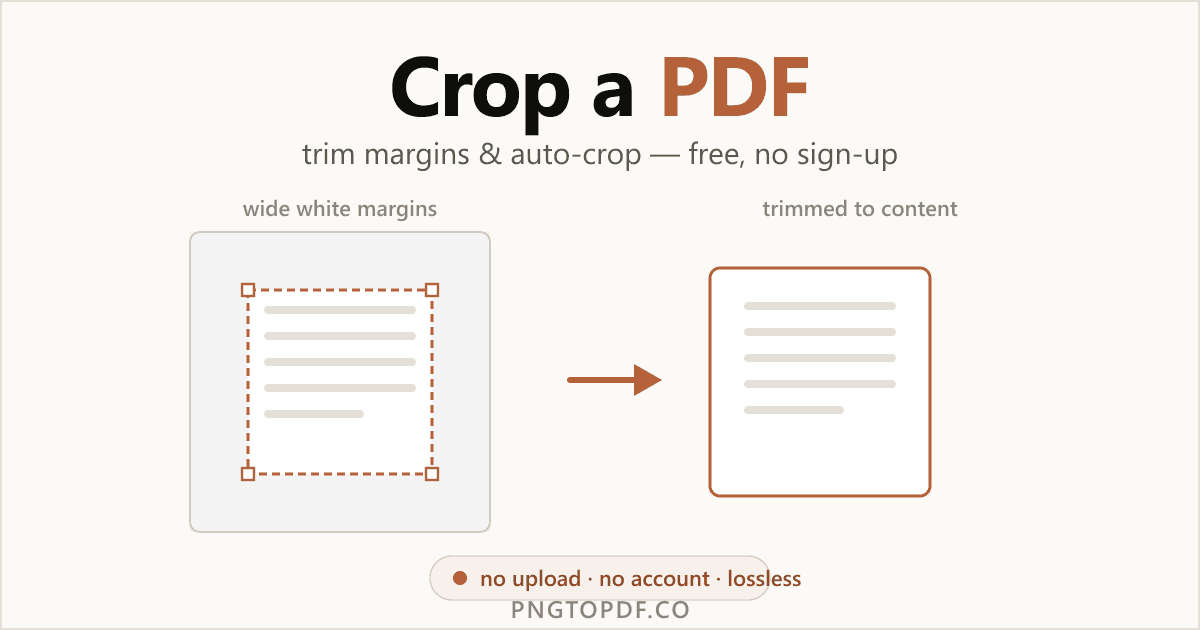
Cropping a PDF trims the visible area of each page — to cut the white margins off a scan, drop a running header or footer, or tidy up a layout. It's one of those tasks Adobe makes you sign in for, but you don't need an Acrobat subscription, or even an account, to do it.
This guide covers every method that works in 2026 — the fastest in-browser route (free, no sign-up, with nothing uploaded), one-click auto-crop to remove white margins from a scan, and the built-in options on Mac and Windows (including one you should avoid). You'll also learn exactly what cropping does to your file — because it isn't quite what most people assume.
Why crop a PDF?
Cropping is about trimming away what you don't want to see on the page. The common reasons:
- Remove white margins from a scan. Scanners leave wide borders; cropping tightens the page to the content.
- Drop a header or footer. Cut a running title, watermark strip, or page furniture you don't need.
- Trim a label or receipt. Cut a shipping label or receipt down to just the part that matters.
- Tidy slides or screenshots. Crop captured slides to a clean, consistent frame.
- Make a page readable on a phone. Trim margins so the text fills more of a small screen.
Want to change the page's actual paper size instead of just the visible area? That's a different job — change the page size (resize).
What cropping actually does (crop vs resize vs compress)
Three operations get confused constantly. Here's the plain version:
- Crop changes the visible area of the page.
- Resize changes the physical page dimensions (A4, Letter…). See resize a PDF.
- Compress reduces the file's megabytes. See compress it.
Here's the part almost no guide explains: cropping hides the area outside your selection by setting the page's CropBox — the content is still in the file. That has three honest implications:
- It's lossless. Nothing is re-encoded, so quality is untouched.
- It's reversible. The hidden content remains, so a crop can be undone.
- It usually won't shrink the file. The data is still there — to reduce size, compress after cropping.
| Action | What changes | Reversible? | Shrinks file? |
|---|---|---|---|
| Crop | Visible area | Yes | Usually no |
| Resize | Page dimensions | Yes | Usually no |
| Compress | File size (MB) | No | Yes |
The easiest way: crop a PDF online (no sign-up)
The fastest method needs no software and no account. A client-side cropper does everything inside your browser tab, so your document never leaves your computer. Here is how it works with our free PDF cropper:
- 1Open the cropperGo to pngtopdf.co/crop-pdf. Nothing to install, no account to create.
- 2Add your PDFDrag the file onto the page, or click to browse. It loads instantly and stays on your device.
- 3Set the cropDrag a box around what to keep, type exact margins, or click auto-crop to trim white space automatically.
- 4Choose pages and downloadApply the crop to all pages, a range, or just one, then download the cropped PDF.
Drag a box or type exact margins
Two ways to set the crop, depending on how precise you need to be. Drag a box for a quick visual crop — grab a corner handle and pull. Or type exact margins (top, bottom, left, right) in millimeters, inches, or points when you need to trim a precise amount — say exactly 10 mm off each edge.
Crop all pages, a range, or just one
Apply the same crop to the whole document, to a range like 2-8, or to a single page. Cropping every page to the same box is the quickest way to give a scanned document consistent, margin-free pages.
How to remove white margins from a scanned PDF (auto-crop)
White (or dark) borders are the classic scanning problem: the scanner captures the whole bed, not just your page. Auto-crop fixes it in one click — the tool analyzes each page, finds where the real content starts and ends, and snaps the crop to those edges. It is the single biggest time-saver in the cropper, and most online tools either don't offer it or make you upload the file first.
How to crop a PDF on Mac and Windows (built-in)
Prefer to stay offline? Mac can crop a PDF natively. Windows is a different story.
Mac: Preview
- 1Open the PDF in PreviewDouble-click the file; Preview is the default viewer.
- 2Choose Tools → Rectangular SelectionDrag a box around the area you want to keep.
- 3Choose Tools → CropPreview trims the page to your selection (Cmd+K also works).
- 4Export a new copyUse File → Export to save a new file and keep your original.
Preview is handy, but limited: it's manual only (no auto-crop), it has no numeric margin fields, it works one page at a time, and there's no apply-to-range.
Windows
Windows has no built-in PDF cropper — and the popular advice to "use the Snipping Tool" is a trap. A screenshot rasterizes the page into an image, so you end up with a PNG or JPG, not a PDF. It's often larger, looks softer when zoomed, and loses any selectable text. For a real, lossless crop on Windows, use the in-browser cropper instead.
Is it safe to crop a PDF online?
It depends entirely on the tool. Most online croppers upload your file to a server, and some — Adobe included — make you sign in to an account just to crop. A client-side cropper runs entirely in your browser, so the file is never transmitted: nothing to intercept, no account, and it even works offline. A quick way to tell: a client-side tool crops almost instantly and keeps working with your connection switched off.
| Method | File uploaded? | Account? | Lossless PDF? |
|---|---|---|---|
| In-browser, local (our tool) | No — stays on device | No | Yes |
| Cloud cropper | Yes | Sometimes | Yes |
| Adobe online | Yes | Yes | Yes |
| Windows screenshot | No | No | No — becomes an image |
Frequently asked questions
How do I crop a PDF without Acrobat?
Use a free in-browser cropper like pngtopdf.co’s /crop-pdf: add the PDF, drag a box around what to keep or click auto-crop to trim white margins, then download. There is no Acrobat and no account — and on a client-side tool the file is never uploaded.
How do I remove white margins from a scanned PDF?
Open the scan in a cropper and use one-click auto-crop, which detects the content edges and trims the surrounding white space. Then glance at the preview and drag to fine-tune if a stray mark widened the box.
Is cropping a PDF permanent or reversible?
With most tools, including pngtopdf.co, cropping sets the page’s CropBox, which hides the area outside your selection rather than deleting it — so it is lossless and reversible. The hidden content stays in the file until you remove it another way.
Does cropping reduce a PDF’s file size?
Usually not much. Cropping hides content but does not delete the underlying data, so the megabytes stay about the same. If you need a smaller file, compress it after cropping.
Will cropping lower the quality of my PDF?
No. Cropping only changes the visible area of the page; it does not re-encode anything, so text and images stay exactly as sharp as the original.
Can I crop all pages of a PDF at once?
Yes. A good cropper lets you apply the same crop to every page, to a range like 2-8, or to a single page. pngtopdf.co’s cropper supports all three.
Can I crop a PDF on Windows for free?
Windows has no built-in PDF cropper, and the Snipping Tool only takes a screenshot — an image, not a PDF, that is often larger and loses selectable text. A free in-browser cropper keeps the file a real, lossless PDF.
Is it safe to crop a PDF online?
It depends on the tool. Most upload your file, and some (like Adobe) require an account; a client-side cropper like pngtopdf.co processes everything in your browser, so the document never leaves your device. A quick test: local tools keep working with your connection off.
The bottom line
Cropping a PDF is quick, free, and doesn't need Acrobat or an account. Remember what it does: it trims the visible area by hiding everything outside your selection, which keeps the crop lossless and reversible but means the file usually won't get smaller. For trimming margins or auto-cropping a scan, the fastest route is a free in-browser cropper that keeps your document entirely on your own device.
Ready to try it? Crop your PDF now — free, private, no upload. Need something else? Learn how to change the page size or compress a PDF instead.